




PixelVault Studios Logo PixelVault Studios Get Started

Making Your Site Mobile-First: The Canadian Advantage

Most visitors use phones. Here’s why building mobile-first isn’t just trendy — it’s essential for converting customers in 2026.

9 min read Intermediate February 2026
Professional woman reviewing website design on desktop monitor in modern office environment

Why Mobile-First Matters Now

Here’s the reality: About 67% of web traffic comes from mobile devices in Canada. But most startup founders still think desktop first. They build on their laptops, test on their laptops, and launch on their laptops. Then users open it on a phone and everything breaks.

Mobile-first design isn’t about making a smaller version of your desktop site. It’s about starting with the constraints of mobile — limited screen space, touch interactions, slower connections — and building UP from there. When you do it right, your site works beautifully on phones AND scales up nicely to larger screens.

Smartphone displaying responsive website design with mobile-optimized navigation and readable content layout

The Mobile-First Workflow

Start by designing for a 375px viewport. That’s roughly the width of an iPhone 14. Sounds small? It forces you to make hard choices about what actually matters. You can’t fit everything. So you prioritize.

Your navigation becomes a hamburger menu. Your hero section is tall and narrow. Your call-to-action button takes up most of the width. Every design decision has a reason — there’s no room for fluff.

Then you add breakpoints at 768px (tablets) and 1024px (desktops). At each step, you’re adding complexity and space — not removing features. The content stays the same. The structure just gets more spacious.

Pro tip: Don’t design for “mobile, tablet, and desktop.” Design for 375px, 768px, and 1440px. Specific numbers force specific decisions.

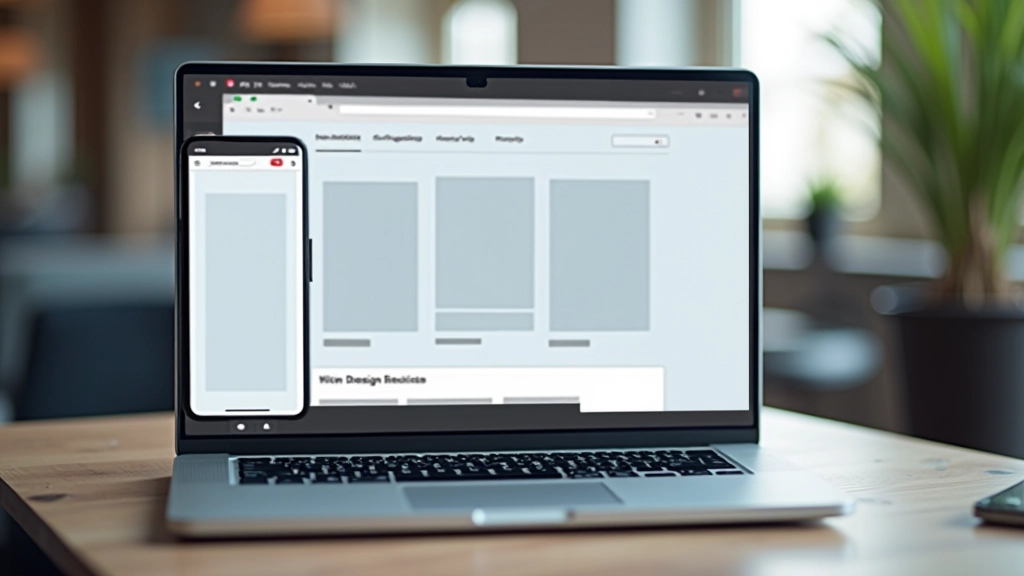
Laptop screen showing responsive design mockups with three viewport sizes side by side displaying same website at mobile tablet and desktop breakpoints
Network activity graph showing fast page load times with green indicators demonstrating optimized website performance metrics

Speed Is Part of the Design

Mobile devices often run on slower connections than your office WiFi. A 4MB image that loads instantly on desktop might take 5+ seconds on mobile. That’s enough time for visitors to bounce.

Mobile-first design forces you to think about file sizes from the beginning. Optimize images aggressively. Use modern formats like WebP. Load only what’s needed. Lazy-load images below the fold. These aren’t afterthoughts — they’re part of the design process.

Canadian users especially appreciate this. Depending on location, rural internet speeds can be 10-20 Mbps. That’s slower than what you’re probably used to. Your design needs to work for them.

Implementation That Actually Works

The practical side: Start with mobile layouts in your CSS. Use a single-column layout by default. Then add media queries that introduce multi-column layouts at larger breakpoints.

1

Write mobile CSS first

No media queries. Single column. Touch-friendly button sizes (minimum 44px 44px).

2

Add tablet breakpoint

At 768px, introduce two-column layouts where they make sense. More breathing room. Larger typography.

3

Enhance for desktop

At 1024px and up, add three-column layouts, hero sections with side-by-side content, full navigation bars.

This approach ensures every screen size works. You’re not hacking together a desktop design to fit phones. You’re building thoughtfully from the smallest screen up.

Code editor window showing CSS media queries with mobile-first responsive design patterns and breakpoint syntax highlighted

Why This Matters in Canada Specifically

Canada’s got unique characteristics that make mobile-first even more important. You’ve got urban centers with great connectivity, but also rural and remote areas where mobile is often the PRIMARY internet access.

Your potential customers in smaller towns might be accessing your site on 4G or even 3G. They’re probably not on fiber. Mobile-first design respects that reality. It works without assuming everyone has a fast connection.

Plus, Canadian users tend to be pragmatic. They’ll abandon a site that doesn’t work on their phone. They won’t wait around for it to load. Mobile-first design shows respect for their time and their actual browsing habits.


Map of Canada with network connectivity indicators showing coverage areas and mobile user distribution across provinces

The Bottom Line

Building mobile-first isn’t a limitation. It’s a clarity tool. When you design for constraints first, you make better decisions. You prioritize ruthlessly. You eliminate unnecessary complexity.

Your Canadian startup website will load faster. It’ll work better. Your visitors will actually convert because the experience is smooth on whatever device they’re using. And that’s what matters.

Educational Note

This guide is educational and informational. Website design approaches vary based on specific business needs, target audience, and technical requirements. The principles outlined here represent current best practices for 2026, but technology and user behavior continue to evolve. Always test your implementation with real users and actual devices to ensure it meets your specific goals.